Attendance Management
An app to encourage name and face recognition for educators.
Challenge
As an educator, I struggle to quickly learn and remember the names of my students at the beginning of the school year/session.
Solution
Many schools have learning and student management systems, but most of those systems are not geared to help you quickly learn and remember student names.
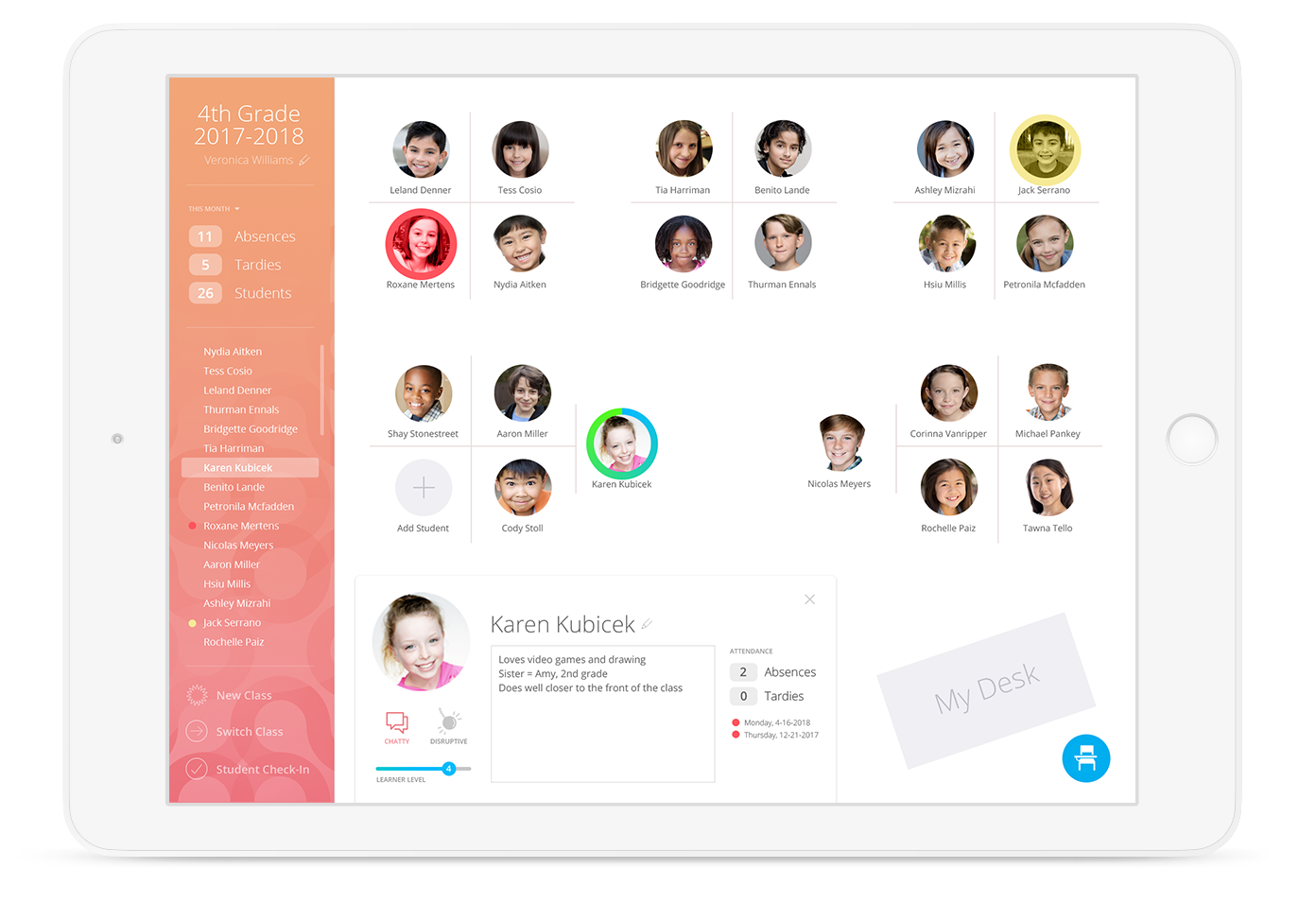
Names & Faces is a tablet app that uses proven memorization techniques to help you remember student names faster.
My Role
Lead Designer, Part-time Project Manager
Team + Stakeholders
CTO, 2 Developers, educators (K-College)
Research
Educator Survey
- Participants included educators from elementary school through college
- Questions centered around how educators learn the names of their students and how long it takes to learn those names
- Results were used as a tool in the design process to better understand memory techniques that work specifically for educators
Color can be impactful: Red & Orange have special powers
- Boosts performance on detail-oriented tasks such as memory retrieval by as much as 31% when compared to blue
- Warm tones, such as red and orange, have been found to enhance attention and memory compared to cooler colors
Resources: Science Daily | NCBI
Improve your ability to remember names in 4 simple steps
- Concentrate: actively listen to the person
- Repeat: use the name immediately and repeat regularly
- Associate: make connections using word association
- Review: go over names at the end of the day
Resources: Wittcom.com | Forbes | CNBC
Design
Early sketches and IA exploration.
Screen mocks.
Features
- Interactive seating chart keeps names and faces in view
- Take roll with names and faces to match those in their seats for quick and repetitive recognition
- Student Profile allows you to enter Learning Level, mark a student chatty or disruptive, enter notes, and review attendance
- Seating Chart builder
- Auto-assign seats based off Learning Level, chattiness, and if the student tends to be disruptive
- Switch between Chart View and augmented reality Desk View
- First Day Student Check-In mode for large classes (students confirm their info and check in for the class)
- Bluetooth-enabled check-in (auto check-in when you get to class)
- Google Classroom and student learning systems integration